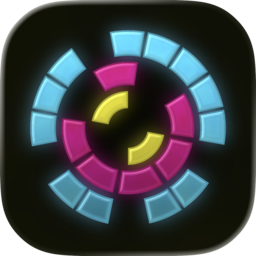
What if Slide to Unlock was a Game?
Making Dial Tone
If you were one of the early adopters of a first gen iPhone, you remember sitting there locking and unlocking the thing over and over.
Sure, technically, it turned out to be a horrible way to secure your phone. But there’s a reason it, out of all the things in a packed demo, got such a reaction from the crowd. There was something there. It was fun.
We’re Fidget Winner, a fledgling two-person game studio, and we’ve been thinking about those 28 seconds since 2007.
What’s in a mobile game
A lot of iOS games (including some we really love) fall into two broad UX categories:
- Awkwardly porting desktop or console inputs to your phone. Think virtual d-pads on smooth glass.
- Everything is tap.
We can do better. Multitouch, gestures, haptics, gyroscopes, accelerometers. These devices are bursting with unique hardware enabling unique interfaces. Games should take full advantage.
Our first attempt to prove this is
Dial Tone, out now
on the app store. Part game, part weird little synthesizer, part love letter to the
iPhone itself. You dial three concentric rings, simultaneously
creating and avoiding obstacles which double as notes in a
procedurally generated soundtrack. Your score is the
BPM. Your goal is to survive the fastest song you can play.
What even is a game
We should be clear. When we say “game” we mean a tight loop of fun mechanics. Not an interactive story. If you imagine a spectrum all the way from Tetris to Skyrim, we’re far on the Tetris side.
(What’s in the exact center, we wonder?)
An advantage of the Tetris end of the scale is that you can start with a single, stupidly simple idea and iterate, playtest, and polish your way to a game. One can imagine starting with “stacking blocks” and chipping away everything that isn’t fun until you arrive at Tetris. It’s harder to start with “what if dragons?” and end up at Skyrim.
The first commit of Dial Tone was a README that just said, “what if slide to unlock, but game?” This is the story of how we got from there to the whole-ass game you see above. There are some technical details, and a few tips for anyone building an iOS game, but mostly it’s about design, mechanics, and feel.
How about a circle
What’s better than slide to unlock? Infinite slide to unlock! We knew pretty early we wanted the core mechanic to be a rotating gesture, so the first test build was just a ring on a screen. To capture that magical illusion of physicality from the original iPhone gesture, we put a lot of effort into tuning the inertia just right for a satisfyingly flickable wheel.
That was a complete waste of time. It was a neat prototype, but a terrible game, as you’ll soon see.
How about a difficult circle
The obvious way to gamify a rotating ring is some kind of orientation challenge. We considered both avoiding projectiles and aligning multiple rings. Both were moderately fun on their own.
Combining them was better. Switching from avoiding projectiles to collecting them, each ring became a growing obstacle for the others.
We tried several approaches for the projectiles. At first they were spawned from the center of the ring, since this gave us a full 360° in which they could randomly fire. But on a tiny phone screen, this meant they had to travel agonizingly slowly for the player to have any time to react. It played acceptably frantic, but it didn’t look right.
Next we tried firing from the screen corners. Travel time felt good. But it was hard to distinguish which ring a projectile was meant for, especially for color blind players.
Then we tried making the projectiles into segments of the rings themselves. That meant there was a second way to distinguish them, by relative size, and it made clear from the start the mechanic was this will attach to the corresponding ring. But we had to either make gaps in outer rings large enough for inner segments to pass through, which made the game less challenging, or make the projectiles into miniature segments which defeated the legibility.
The answer was to forget about projectiles. We switched to lasers. Thin filaments extending from the corners of the screen to specific rings. This had several advantages: it made targeting clear, it made the path of collisions clear, and by spawning the next filament while the current one was traveling, we gave the player the ability to think one move ahead, turning the game from purely reactive to predictive. The first hints of strategy.
For the music phreaks
While fiddling with concentric rings we’d divided them into 4, 8, and 16 segments out of habit. And then we noticed ... hey, those could be divisions of a beat. Quarter notes, eighths, and sixteenths.
We assigned each ring a note, with a simple hardcoded chord progression, and added a “minute hand” that swept over the rings, playing the appropriate note whenever it hit a segment. A happy accident of separating the minute hand (which rotated in fixed world space) from the rotation of the rings meant that we didn’t just have chords, we had a little emergent melody that changed as the player dialed the rings.
We broke the minute hand up into individual trackers for each ring (we call them sweeps), and tweaked the audio trigger so instead of sounding a single distinct note, they made a sustained tone for as long as they remained in contact with a segment. This means rows of segments sound different from lone segments, a ring in motion sounds different than at rest, and a skilled player can even play a non-stop tone by chasing the sweep around the ring. A tiny, ridiculous musical instrument.
Up until now, the game was called Resonance Lock. The visual aesthetic was to be a series of cyberpunk-y neon combination locks that the player would unlock like some kind of Gibsonian hacker breaking into a zaibatsu’s data vaults.
But to make the musical experience richer, we tried assigning two notes to each ring, for a six-note chord. That made individual segments sound a little like the keys of a touch-tone telephone. And here we had rings you dialed. The real name was obvious.
(And it tied serendipitously back to the original Steve Jobs inspiration.)
We’ve been fascinated by procedural music for even longer than we’ve been obsessed with Slide to Unlock, and this was a perfect opportunity. We replaced the hardcoded chord progression with a procedural music generator.
At the start of each game it randomly picks from seven modal flavors, seven banks of percussion, and a starting key. It then generates tension and resolution with a state machine that cycles through tonic → predominant → dominant → back to tonic on ring placements. As BPM increases, the pull toward dominant and back to tonic gets stronger, creating shorter, more urgent phrases. Whole phrases also have a chance to be repeated or returned to in the next key, reinforcing a sense of musical structure.
Combined with placement and orientation creating different polyrhythms between rings, every game is a unique composition. The overall impression is something recognizably musical but a little uncanny. The RNG makes choices a human composer — or a sophisticated AI composer aping a human — wouldn’t. We think this gives Dial Tone a distinctive sound, and captures a little of the weird charm of pre-LLM machine “creativity”, like the found poetry feel of Markov text.
We set the travel time for new lasers at 1.5 bars, creating a hemiola. The beat completes one revolution per four beat bar. A laser every six beats means arrivals alternate between beat one and three. The full placement pattern only repeats every three bars. The player hears a long-form phrase with built-in syncopation.
It was pretty catchy. But something still felt missing. Leaning into the eerie synthesizer sound, we added a portamento, a smooth slide between pitches. It fit the rotation theme. As if the ring was a knob and you were tuning in to each new chord.
Once we started absently humming little Dial Tone-esque riffs around
the garage office, we knew we had it
dialed in.
Inertial dampeners
Remember how we spent all that time getting the ring inertia just right? Now that we had something genuinely fun to play, and were starting to get good at our own game, we discovered inertia was actually maddening. Losing because your finger imparted a little drift to the ring as you left the surface of the screen sucked.
The solution was easy: throw that work away. We’d built a game of precision. The rings needed to feel like precision dials, stopping just where you put them. Not well oiled bearings.
We actually tried making them clicky, snapping to precise alignments with a little haptic tick. It felt neat, but made the game too easy. With a lot of playtesting, we felt faithfully accurate but punishingly precise was the sweet spot.
Accelerando
Speaking of difficulty, it was time to start tuning the curve. We wanted Dial Tone to feel slightly frantic but approachable to new players, leading into a rapid phase of initial mastery (conquering a new skill is fun), and then a long, ideally infinite tail of obscene difficulty for expert players to throw themselves against.
Having already synced the game to a 4/4 beat, the obvious mechanic was a ramping BPM. And there’s something really appealing about a concrete mechanic replacing abstract “points”.
(Shout out to Canabalt, the first iOS game we ever fell in love with, which made the brilliant decision to score by distance.)
120 BPM felt like a good starting zone. But there was a problem. We’d been defining a “level” as filling all three rings completely, but at 120 that took a while. We wanted Dial Tone to feel fast-paced, even at low levels. We changed the win condition to clearing any single ring.
Which introduced its own problem: luck. With every ring having an equal chance to spawn, it was entirely possible to clear an arbitrarily high level just by trying over and over until you got favorable starting conditions. In the “worst” case you might start with lasers from all four corners completely filling the inner ring without having to lift a finger.
A little luck can feel good. We wanted to leave some room for it. But we also wanted leaderboards. Scoring had to mean something!
We could have just programmatically forbidden the most blatant case of instant-clear, but we went further with several tweaks across the leveling experience:
- Spawns are random but weighted by ring size. Outer rings are more likely to fill up first, creating more obstacles.
- To avoid the lucky case where you simply fill the outer ring without having to maneuver inner rings at all, spawns are also weighted by ring fullness. As the outer ring fills, and becomes a major obstacle, the inner rings become more likely to spawn.
- These are all just weighted probabilities. There’s no hard rule that you can’t get lucky. In fact we want it to happen now and then.
- When you first launch the game you default to 120 BPM, but you can choose to start as low as 90 or as high as 200.
- Past 200, you can start a new session at your best score minus three. Skilled players don’t have to start from the beginning, but you can’t just luck your way to an arbitrarily high score. Anyone on the leaderboard above 200 earned it by surviving at least three rings at that level.
Secret strategy
You might think a game with exactly one mechanic wouldn’t have a lot of room for “strategy”, but in playtesting a few naturally emerged.
We’re putting these behind a spoiler warning for those who prefer to discover on their own. Feel free to go play the game now and come back to see if your findings matched ours.
For the impatiently curious, click to reveal.
The simplest case is purely reactive: every time a laser spawns, perform the minimum rotations that will avoid losing. But can you do better? Can you put in more effort up front, rotating more than strictly necessary while rings are sparse, in order to create better conditions for yourself as they fill up?
Turns out yes. We discovered two dominant and opposing strategies:
-
Maximize the number of gaps on each ring. In the simplest case, this means starting from a bare ring: let the first segment place randomly, then place the second 180° opposite, dividing the ring into two equal gaps. As the rings fill up and become more dangerous, this optimizes for minimal rotation to avoid a loss. You’re more likely to have a gap near every spawn point, although you’ll have to be precise.
-
Create and sustain one big gap. Place each new segment touching the last. As the rings fill up, this means bigger rotations, but also a longer period with a large and very forgiving gap to pass through. More speed, less precision.
Of course, they both eventually result in a nearly full ring with only a single segment gap. The difference is in the mid-game, where you may find one or the other strategy more physically or mentally sustainable, or more conducive to a flow state.
They also sound different!
There is one more thing, although it’s more of a “trick” than a “strategy”.
Like a good iOS citizen, Dial Tone responds to device orientation. Flip your phone from landscape to portrait and the game re-orients with the classic iOS animation. But this takes a little time. During which lasers keep traveling but you lose your bearings in the game and can’t input any gestures.
It feels bad to lose because you moved your phone to get comfy. So we simply remove the active laser and spawn a fresh one on orientation change. And this introduces a trick: if you’re about to lose and don’t think you can react in time, you can, as a last desperate measure, rotate your whole phone. This will buy you a one laser reprieve, with which you might be able to recover.
At first we considered this a bug. But the more we thought about it, the more we liked it. Like nudging in pinball, it felt like riding the line between skill and cheating. So we left it in. We figure if anyone is so dedicated as to play the entire game by constantly rotating their phone to get only the most favorable spawns (which will take forever, by the way), they deserve whatever score they can reach.
We should also mention that Dial Tone is fully multitouch. Nothing is stopping you from turning two or even three rings at once, and mastering this might add a couple hundred BPM to your score. But we don’t have any more to say on the subject because when we tried it we were forced to confront our own mortality. It feels like one of those insane techniques for young people with impossibly fast reflexes and we leave exploiting it in their capable hands.
Since you’re the curious type, we’ll also go ahead and tell you that there are a couple hidden achievements. And at least one dumb fun easter egg on the start menu.
Demo mode
We knew we’d eventually need to record gameplay footage for the app store and promotion, so from the start we baked a scriptable demo mode into the game.
This was a fantastic idea, and we cannot recommend it highly enough.
A demo script looks like this:
{
"bpm": 200,
"color": 2,
"flavor": 1,
"drums": 2,
"rings": {
"inner": [0, 2],
"middle": [0, 2, 4, 6],
"outer": [0, 1, 2, 3, 4, 5, 6, 7, 8, 9, 10, 11, 12]
},
"moves": [
{ "ring": 2, "corner": 0 },
{ "ring": 2, "corner": 3 },
{ "ring": 2, "corner": 1 },
{ "ring": 1, "corner": 2 },
{ "ring": 1, "corner": 1 },
{ "ring": 1, "corner": 3 },
{ "ring": 1, "corner": 0 }
]
}
This creates a game with mostly full rings and proceeds to fire the defined lasers, intercepted by the defined rings, until the middle ring clears. After the scripted moves are exhausted, the game enters normal random spawning and plays itself according to strategy 1 in the spoilered section above.
Demo mode is left out of the release version of the game with a build flag. We built it to capture repeatable video without the pressure of playing a perfect game, but it also turned out to be great for testing and QA.
We still don’t really know what we’re
doing on TikTok. But at least producing the gameplay footage was easy. Please like
and subscribe stitch?
An ill-advised side quest
Watching demo mode was kind of mesmerizing. So we thought, “hey, this is just SpriteKit. We should make a screen saver!”
This was a terrible idea, and we cannot dissuade you strongly enough.
Don’t get us wrong, the SpriteKit part was indeed great. The animation and shaders built on macOS with no changes. And if we’d opted to include audio in a screen saver — like monsters — that would have ported right over too.
But absolutely everything else about making a Mac screen saver in 2026 was a nightmare. We could write a whole post just about this, but thankfully Márton Braun at JetBrains already did it. You should read this excellent writeup if you are even thinking about maybe possibly making a screen saver. And then you should probably not make that screen saver.
But you don’t get into software unless you have a stubborn streak and, on some level, enjoy arguing with computers. So we played whack-a-mole with legacy APIs and weird undocumented differences between Sonoma, Sequoia, and Tahoe’s handling of lifecycle events, rendering scales in preview vs. fullscreen, one vs. two vs. three displays, displays with different refresh rates, etc., etc.
And finally we had a screen saver. You can download it for macOS (Universal Binary), our gift to you for reading this far. We also have instructions for installing it.
But we must warn you: we think we worked out most of the kinks, but even the happy path for third party screen savers is not great. “Live wallpapers”, with their fancy new private APIs, never completely give up control. You’ll think you’ve got your screen saver all configured, and then randomly a live wallpaper will show up instead.
There was one unexpected benefit: screen savers run for a long time, which made a great stress test. We caught and fixed a tiny SpriteKit memory leak after the screen saver, left running all weekend, developed a slight but noticeable stutter. This would probably never come up in the game. No one is playing Dial Tone for 48 hours straight. But a leak is a leak.
Procedural everything
Another thing we strongly recommend (unlike making a screen saver ಠ_ಠ) is our decision to avoid assets entirely.
Dial Tone has no image files, no audio files, no font files, no data files. The bundle contains only compiled Swift code. Everything is generated at runtime:
- Rings and segments:
SKShapeNodegeometry - Background, segment fill, lasers: GLSL shaders
-
Laser spark:
SKEmitterNodewith a programmatic 4x4 texture -
Soundtrack:
AVAudioSourceNoderender callbacks (oscillators, noise, envelopes) -
Typography: system-installed Avenir Next with a custom
CGPathtransform for curved text
Even the app icon, while necessarily static, is generated by a tiny Swift utility using the game code.
We did this for a few reasons. It let us build the responsive soundtrack that became integral to the whole feel of the game. It made the development and build pipeline extremely simple, which let us spend more time playtesting and iterating, and we think that shows in the final product. We’re programmers, not artists, and our ethos forbids the use of slop, so that left math art, which fits our sensibilities anyway.
And it’s pretty cool, in 2026, to ship a game under 6MB.
Player perspective
By the time we were ready for external playtesters we really needed them. We’d played hours upon hours of our own game and gotten too close to the work. As the undisputed Dial Tone World Champions, we’d started thinking of easy difficulty as too easy and were considering cranking it up. Watching fresh new players struggle to keep up brought us back to reality.
But it was worse than that. We wanted Dial Tone to be discoverable, so we didn’t provide any instructions. We just sat people down with a game they’d never seen before and asked them to figure it out. And we were shocked to find that, on first playthrough, nobody tried turning the rings. Not a single person. They all tried tapping and were confused when it didn’t do anything. We didn’t provide any hints, and they all figured it out after a loss or two, so it wasn’t completely undiscoverable. But it wasn’t obvious.
Right. We knew we’d set out to build a game that was “more than just tapping”. But the players didn’t know that. And the game did nothing to tell them.
After figuring it out, one tester said incredulously, “but the instructions said to tap!”
Instructions? We hadn’t provided any instructions...
At this point all the development had gone into the game loop itself. The start menu was an afterthought. Just a way to get to the game. It looked like this:
Tap to play. Oops. Now it looks like this:
The launch controls tell you how to play the game. No tutorial mode necessary. And now the start menu itself is fun.
We will say this for getting too close to the work: we sanded down a lot of rough edges, and added a lot of polish, just from playing the game obsessively and fixing every tiny little thing that started to annoy us after the thousandth game. The optimal amount of obsession is not zero. But stop before you overseason it.
Scalable architecture
Our motto promises games made “just for your iPhone.” But it’s our company, and we say we’re allowed to include iPad support under the “it’s just a giant iPhone” exception.
Although at that size the game is a different experience. Less like dialing a phone, more like scratching a record.
Dial Tone for everyone
As we mentioned earlier we wanted to be sure Dial Tone would work for color blind players. We did two things to make the game playable without any color information:
-
Added a collision warning animation. Endangered segments enlarge and flash translucent. Almost everything else in the game is synced to the beat, so to make the warning extra hard to miss we intentionally desynchronized it.
-
Played the game without color. iOS makes this really easy: Settings → Accessibility → Display & Text Size → Color Filters → Grayscale
We also added guards to all the non-essential animation to honor iOS’s built-in accessibility settings for reduced motion and sensitivity to flashing lights. When either setting is active we also further enlarge the collision warnings to make up for the missing flash.
We went back and forth on how to handle device mute. Audio is a major part of the Dial Tone experience, but it’s not strictly necessary to play, and there are legitimate reasons a player might not want it to make noise.
What we really wanted was to honor silence but show some kind of warning icon that you were missing out on the soundtrack. But Apple very intentionally does not expose any API for determining mute state. There are some libraries that get around this with very clever hacks. But we try to honor the spirit of Cupertino Law, not just the letter.
So if you mute your iPhone, Dial Tone will respectfully not make a sound. We’re not saying you should play Dial Tone in class, or during boring meetings. We’re just saying we won’t rat you out if you do.
That’s it.
Thanks for reading. We’re bad at wrapping things up which is why our game just keeps getting harder forever.
That name again is
Dial Tone. Available now
wherever fine iOS games are sold.